








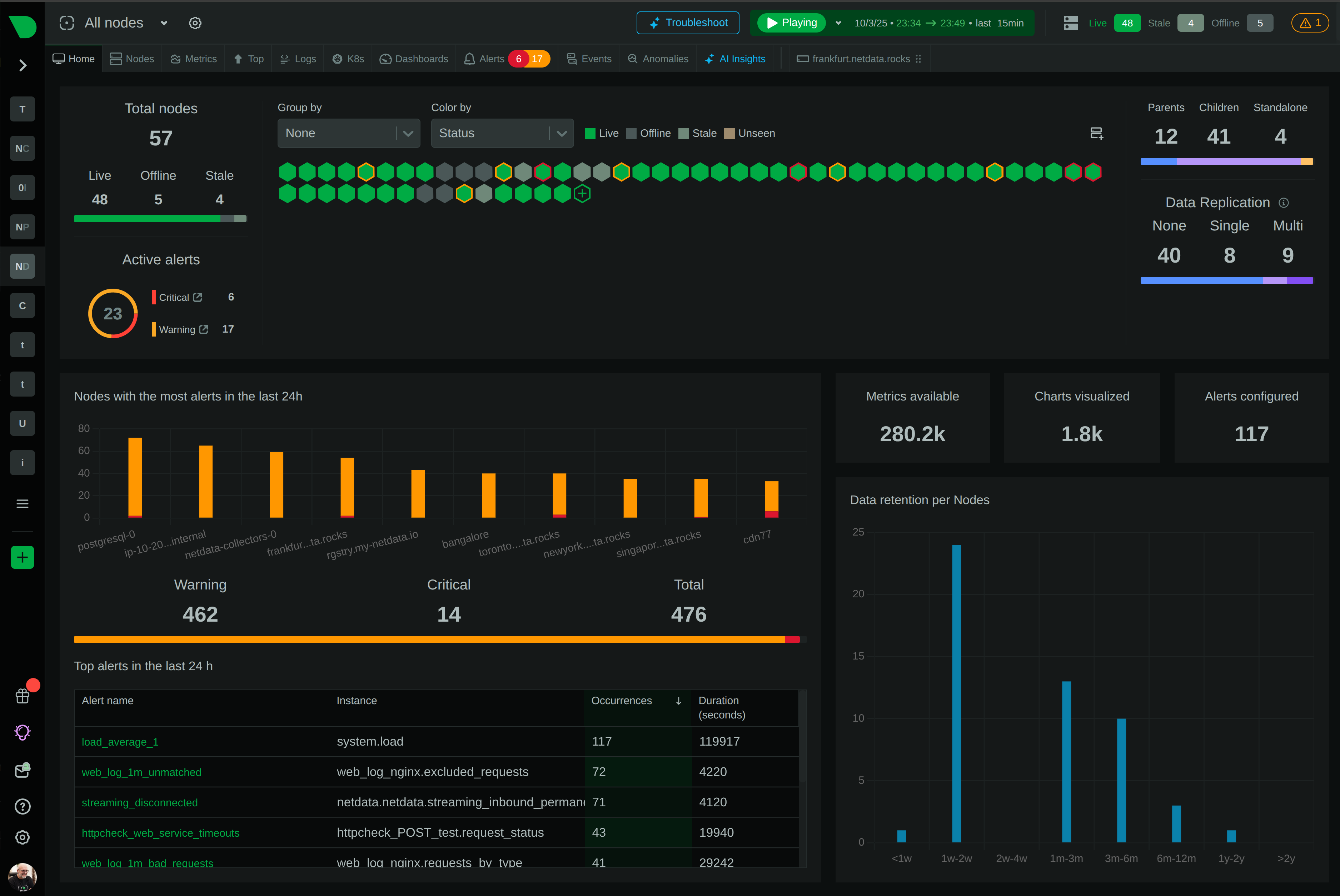

The only agent that thinks for itself

Autonomous Monitoring with self-learning AI built-in, operating independently across your entire stack.

Unlimited Metrics & Logs
Machine learning & MCP
5% CPU, 150MB RAM
3GB disk, >1 year retention
800+ integrations, zero config
Dashboards, alerts out of the box
> Discover Netdata Agents
Centralized metrics streaming and storage

Aggregate metrics from multiple agents into centralized Parent nodes for unified monitoring across your infrastructure.

Stream from unlimited agents
Long-term data retention
High availability clustering
Data replication & backup
Scalable architecture
Enterprise-grade security
> Learn about Parents
Fully managed cloud platform

Access your monitoring data from anywhere with our SaaS platform. No infrastructure to manage, automatic updates, and global availability.

Zero infrastructure management
99.9% uptime SLA
Global data centers
Automatic updates & patches
Enterprise SSO & RBAC
SOC2 & ISO certified
> Explore Netdata Cloud
Deploy Netdata Cloud in your infrastructure

Run the full Netdata Cloud platform on-premises for complete data sovereignty and compliance with your security policies.

Complete data sovereignty
Air-gapped deployment
Custom compliance controls
Private network integration
Dedicated support team
Kubernetes & Docker support
> Learn about Cloud On-Premises
Powerful, intuitive monitoring interface

Modern, responsive UI built for real-time troubleshooting with customizable dashboards and advanced visualization capabilities.

Real-time chart updates
Customizable dashboards
Dark & light themes
Advanced filtering & search
Responsive on all devices
Collaboration features
> Explore Netdata UI
Monitor on the go

Native iOS and Android apps bring full monitoring capabilities to your mobile device with real-time alerts and notifications.

iOS & Android apps
Push notifications
Touch-optimized interface
Offline data access
Biometric authentication
Widget support
> Download apps

Best energy efficiency

True real-time per-second

100% automated zero config

Centralized observability

Multi-year retention

High availability built-in

Zero maintenance

Always up-to-date

Enterprise security

Complete data control

Air-gap ready

Compliance certified

Millisecond responsiveness

Infinite zoom & pan

Works on any device

Native performance

Instant alerts

Monitor anywhere

80% Faster Incident Resolution
AI-powered troubleshooting from detection, to root cause and blast radius identification, to reporting.
True Real-Time and Simple, even at Scale
Linearly and infinitely scalable full-stack observability, that can be deployed even mid-crisis.
90% Cost Reduction, Full Fidelity
Instead of centralizing the data, Netdata distributes the code, eliminating pipelines and complexity.
Control Without Surrender
SOC 2 Type 2 certified with every metric kept on your infrastructure.
Integrations

800+ collectors and notification channels, auto-discovered and ready out of the box.

800+ data collectors
Auto-discovery & zero config
Cloud, infra, app protocols
Notifications out of the box
> Explore integrations
Real Results
46% Cost Reduction

Reduced monitoring costs by 46% while cutting staff overhead by 67%.

— Leonardo Antunez, Codyas

Zero Pipeline

No data shipping. No central storage costs. Query at the edge.

From Our Users
"Out-of-the-Box"

So many out-of-the-box features! I mostly don't have to develop anything.

— Simon Beginn, LANCOM Systems

No Query Language

Point-and-click troubleshooting. No PromQL, no LogQL, no learning curve.

Enterprise Ready
67% Less Staff, 46% Cost Cut

Enterprise efficiency without enterprise complexity—real ROI from day one.

— Leonardo Antunez, Codyas

SOC 2 Type 2 Certified

Zero data egress. Only metadata reaches the cloud. Your metrics stay on your infrastructure.

Full Coverage
800+ Collectors

Auto-discovered and configured. No manual setup required.

Any Notification Channel

Slack, PagerDuty, Teams, email, webhooks—all built-in.

From Our Users
"A Rare Unicorn"

Netdata gives more than you invest in it. A rare unicorn that obeys the Pareto rule.

— Eduard Porquet Mateu, TMB Barcelona

99% Downtime Reduction

Reduced website downtime by 99% and cloud bill by 30% using Netdata alerts.

— Falkland Islands Government

Real Savings
30% Cloud Cost Reduction

Optimized resource allocation based on Netdata alerts cut cloud spending by 30%.

— Falkland Islands Government

46% Cost Cut

Reduced monitoring staff by 67% while cutting operational costs by 46%.

— Codyas

Real Coverage
"Plugin for Everything"

Netdata has agent capacity or a plugin for everything, including Windows and Kubernetes.

— Eduard Porquet Mateu, TMB Barcelona

"Out-of-the-Box"

So many out-of-the-box features! I mostly don't have to develop anything.

— Simon Beginn, LANCOM Systems

Real Speed
Troubleshooting in 30 Seconds

From 2-3 minutes to 30 seconds—instant visibility into any node issue.

— Matthew Artist, Nodecraft

20% Downtime Reduction

20% less downtime and 40% budget optimization from out-of-the-box monitoring.

— Simon Beginn, LANCOM Systems

Pay per Node. Unlimited Everything Else.

One price per node. Unlimited metrics, logs, users, and retention. No per-GB surprises.

Free tier—forever
No metric limits or caps
Retention you control
Cancel anytime
> See pricing plans
What's Your Monitoring Really Costing You?

Most teams overpay by 40-60%. Let's find out why.

Expose hidden metric charges
Calculate tool consolidation
Customers report 30-67% savings
Results in under 60 seconds
> See what you're really paying
Your Infrastructure Is Unique. Let's Talk.

Because monitoring 10 nodes is different from monitoring 10,000.

On-prem & air-gapped deployment
Volume pricing & agreements
Architecture review for your scale
Compliance & security support
> Start a conversation
Monitoring That Sells Itself

Deploy in minutes. Impress clients in hours. Earn recurring revenue for years.

30-second live demos close deals
Zero config = zero support burden
Competitive margins & deal protection
Response in 48 hours
> Apply to partner
Per-Second Metrics at Homelab Prices

Same engine, same dashboards, same ML. Just priced for tinkerers.

Community: Free forever · 5 nodes · non-commercial
Homelab: $90/yr · unlimited nodes · fair usage
> Start monitoring your lab—free
$1,000 Per Referral. Unlimited Referrals.

Your colleagues get 10% off. You get 10% commission. Everyone wins.

10% of subscriptions, up to $1,000 each
Track earnings inside Netdata Cloud
PayPal/Venmo payouts in 3-4 weeks
No caps, no complexity
> Get your referral link
Cost Proof
40% Budget Optimization

"Netdata's significant positive impact" — LANCOM Systems

Calculate Your Savings

Compare vs Datadog, Grafana, Dynatrace

Savings Proof
46% Cost Reduction

"Cut costs by 46%, staff by 67%" — Codyas

30% Cloud Bill Savings

"Reduced cloud bill by 30%" — Falkland Islands Gov

Enterprise Proof
"Better Than Combined Alternatives"

"Better observability with Netdata than combining other tools." — TMB Barcelona

Real Engineers, <24h Response

DPA, SLAs, on-prem, volume pricing

Why Partners Win
Demo Live Infrastructure

One command, 30 seconds, real data—no sandbox needed

Zero Tickets, High Margins

Auto-config + per-node pricing = predictable profit

Homelab Ready
"Absolutely Incredible"

"We tested every monitoring system under the sun." — Benjamin Gabler, CEO Rocket.Net

76k+ GitHub Stars

3rd most starred monitoring project

Worth Recommending
Product That Delivers

Customers report 40-67% cost cuts, 99% downtime reduction

Zero Risk to Your Rep

Free tier lets them try before they buy

Never Fight Fires Alone

Docs, community, and expert help—pick your path to resolution.

Learn.netdata.cloud docs
Discord, Forums, GitHub
Premium support available
> Get answers now
60 Seconds to First Dashboard

One command to install. Zero config. 850+ integrations documented.

Linux, Windows, K8s, Docker
Auto-discovers your stack
> Start monitoring now
See Netdata in Action

Watch real-time monitoring in action—demos, tutorials, and engineering deep dives.

Product demos and walkthroughs
Real infrastructure, not staged
> Start with the 3-minute tour
Level Up Your Monitoring
Real problems. Real solutions. 112+ guides from basic monitoring to AI observability.
76,000+ Engineers Strong
615+ contributors. 1.5M daily downloads. One mission: simplify observability.
Per-Second. 90% Cheaper. Data Stays Home.
Side-by-side comparisons: costs, real-time granularity, and data sovereignty for every major tool.

See why teams switch from Datadog, Prometheus, Grafana, and more.

> Browse all comparisons
Edge-Native Observability, Born Open Source
Per-second visibility, ML on every metric, and data that never leaves your infrastructure.
Founded in 2016
615+ contributors worldwide
Remote-first, engineering-driven
Open source first
> Read our story
Promises We Publish—and Prove
12 principles backed by open code, independent validation, and measurable outcomes.
Open source, peer-reviewed
Zero config, instant value
Data sovereignty by design
Aligned pricing, no surprises
> See all 12 principles
Edge-Native, AI-Ready, 100% Open
76k+ stars. Full ML, AI, and automation—GPLv3+, not premium add-ons.
76,000+ GitHub stars
GPLv3+ licensed forever
ML on every metric, included
Zero vendor lock-in
> Explore our open source
Build Real-Time Observability for the World
Remote-first team shipping per-second monitoring with ML on every metric.
Remote-first, fully distributed
Open source (76k+ stars)
Challenging technical problems
Your code on millions of systems
> See open roles
Talk to a Netdata Human in <24 Hours
Sales, partnerships, press, or professional services—real engineers, fast answers.
Discuss your observability needs
Pricing and volume discounts
Partnership opportunities
Media and press inquiries
> Book a conversation
Your Data. Your Rules.
On-prem data, cloud control plane, transparent terms.
Trust & Scale
76,000+ GitHub Stars

One of the most popular open-source monitoring projects

SOC 2 Type 2 Certified

Enterprise-grade security and compliance

Data Sovereignty

Your metrics stay on your infrastructure

Validated
University of Amsterdam

"Most energy-efficient monitoring solution" — ICSOC 2023, peer-reviewed

ADASTEC (Autonomous Driving)

"Doesn't miss alerts—mission-critical trust for safety software"

Community Stats
615+ Contributors

Global community improving monitoring for everyone

1.5M+ Downloads/Day

Trusted by teams worldwide

GPLv3+ Licensed

Free forever, fully open source agent

Why Join?
Remote-First

Work from anywhere, async-friendly culture

Impact at Scale

Your work helps millions of systems

Compliance
SOC 2 Type 2

Audited security controls

GDPR Ready

Data stays on your infrastructure

Blog

Creating A Thriving, Agile, Remote Team

Fostering a Vibrant Community around Open Source Monitoring
by Chris Akritidis · March 25, 2020

The coronavirus (COVID-19) pandemic has forced many organizations to take unprecedented steps towards remote working. As a fully distributed team, we’ve faced the common challenges of remote work. Based on our experience from our very beginning in 2018, all but a few of these organizations new to remote working will face hurdles to overcome and may try to revert to colocation as soon as possible. Remote working is hard, even when it’s carefully planned and executed. When the transition is rushed and seen as a necessary, temporary inconvenience, challenges are all but inevitable.


In this post, we provide a few very practical tips to help organizations interested in preventing this forced experiment from severely impacting their day-to-day business. Moreover, if your organization has the drive and ability to quickly implement these changes, you may even recognize the great opportunities that remote working provides. Perhaps you still won’t have an overall positive experience, but at least you may be willing to consider a more strategic shift after the current crisis ends.

Tip 1: Enable real-time collaboration

It is extremely important that all employees, regardless of their department, have access to an instant messaging and video conferencing platform. Collaboration on shared artifacts (documents, presentations, code repositories, diagrams) is also essential.

1.1 Instant Messaging

Although asynchronous working is a habit you need to get used to, if you’re working remotely, there are times where things can’t get done asynchronously by just using email or other forms of documents due to the long response times and overhead in writing formal responses. IM is fast, informal and still asynchronous enough to give people some breathing space when they need to concentrate on a task. We use Slack, which has a perfectly good free tier and an affordable paid version. A good alternative is Mattermost, an open source solution that also offers enterprise paid plans. Some specific tips on how to make IM a tool, instead of a nuisance:
  • Make the IM notifications discreet. If you get pop-ups every time someone types something in a channel you’re participating in, the interruptions will be constant.
  • Ensure anyone can create a public or private channel and invite anyone they want to it. This is a great method of relaying information to specific teams without flooding communication channels.
  • Use private channels sparingly to avoid administrative overhead and promote transparency.
  • Ask people to search if an existing channel already exists before creating a new one to prevent channel sprawl.
  • Encourage everyone to create channels for socialization (e.g. random, fun, sports, games, etc.). This tip is quite important for a long-term use of remote working, as you need to somehow make up for the loss of personal contact.
  • Especially if your organization is geographically distributed, make sure that people are online and responsive in IM during the agreed common working hours. We have moved beyond mandatory common working hours in Netdata, but we recommend that you start by specifying slots of at least a few hours a day during which everyone must be online and responsive.

1.2 Video Conferencing

Phone conferences are bad for remote working not only due to the call costs, but mainly because they completely eliminate the nonverbal communication that is necessary for developing trust. It’s impossible to replace face-to-face, personal contact, but video conferencing is the closest substitute we have. At Netdata, we mostly use Google Hangouts because it comes with the rest of the GSuite tools we use. It does its job, and we don’t pay extra for it. You should also consider selecting something that is included at no cost with your existing solutions, or use a solution that has a free tier, such as Zoom (the free tier has an annoying time limit on calls, but you can get used to it for most purposes). We did not like the quality of the Slack video conferencing and did not upgrade to the enterprise GSuite plan, even though we needed recording. We just got a few paid Zoom licenses instead and distributed them to a few people so they could organize the sessions that needed to be recorded. For example, we always record refinement sessions for those who may have missed the meeting. A few more tips on video conferencing:
  • Encourage people to have permanently running video conference calls that function as virtual co-working spaces. It can be as simple as pinning a URL on their IM channel. People can be doing their normal work while in these conferences; it just allows for quick verbal communication.
  • Ensure everyone has a good microphone, a camera, and a stable internet connection with sufficient bandwidth.
  • Especially when having a meeting with just a few people, ask everyone to keep their camera on at all times (if possible) so that the meeting is more personal and the participants remain engaged and focused.

1.3 Shared Artifacts

We are a software company, so GitHub is a no-brainer for our main collaboration tool. We also use Google Drive to collaborate on some documents, but we have decided to make GitHub our single source of truth for pretty much everything that is text-based, even for things unrelated to code such as our company handbook. If you don’t already have a solution for quick and easy collaboration on artifacts, you’ll need one, regardless of whether you stick to remote working or not.

Tip 2: Track work, not people

The constant question that comes up with remote work is how you ensure that people are actually working. We were absolutely clear about that from the beginning: we do not care about time; we care about results. You absolutely must have a way of tracking tasks and deliverables and center all your management processes around those backlogs. There are countless tasks and project management tools out there. At the bare minimum, ensure all work is recorded in the tool. If you need to track time spent as well (we don’t), you should ensure that the tool you select supports time tracking.

Since we were already using GitHub for the most important work we do as a company, we decided to purchase ZenHub, a product that literally sits on top of the GitHub user interface and provides additional necessary features for agile development. Every team in the company now has at least one GitHub repository, even without artifacts, so that we can keep track of our work via GitHub issues. We rely on ZenHub’s Kanban view to do our daily or weekly reviews of progress towards our goals.

The exact process we follow depends on the team and the lessons we’ve had from multiple iterations. Some teams use Scrum, others Kanban, others were just formed and are only starting. As long as you are insistent on the work being recorded in your tool of choice, you don’t have to worry about whether people are actually working or not.

Tip 3: Minimize formal meetings

Your natural inclination may be to set up a lot of meetings to make up for the lack of face-to-face time and to maintain an illusion of control. In fact, if you follow tips 1 and 2, you’ll realize that you don’t need more meetings than what you probably have already. Short, daily standups and the Scrum ceremonies every two weeks are enough for the engineering teams that follow Scrum. Daily standups and weekly review and planning meetings are enough for the teams that follow Kanban. You will always need other calls of course, but treat them as you would be treating face-to-face meetings. You don’t have people sitting in a meeting room all day, so you don’t want them doing that from home either (note that the virtual co-working space mentioned in 1.2 is not the same thing). Having an agenda prior to the start of the meeting is another method to creating efficient, productive calls.

What you will and will not see during the forced experiment

Assuming that you’re in an established company that is simply new to remote working at scale, there are a few fundamental challenges that you will be happy NOT to encounter:
  • The challenge of establishing trust in a remote working environment does not apply to you. Your people have worked together in an office, so it’s already as good as it will get. You don’t have to (and likely should not) set up expensive get-togethers or try tactics like a virtual watercooler to get people to feel like part of the team.
  • You don’t need to deal with multiple time zones for the first time, so you don’t have to adapt your processes.
  • You don’t need to screen out people with a “hired gun” mentality who look at remote work like contract work.
  • You don’t have to set up expensive, elaborate training programs for junior hires. We circumvented this issue completely by only hiring experienced professionals at Netdata, but we realize that it’s not possible for every company.
On the other hand, you won’t be able to realize some of the biggest benefits of remote work:
  • Access to a global talent pool that you just can’t source locally wherever you are.
  • Office cost-savings.
  • No 9-to-5 mentality. Depending on how you implement your long-term, remote working strategy, you may actually face the opposite problem of people not being able to set boundaries which ends up negatively affecting their work-life balance.
What you will definitely see is some teething problems that can be quickly resolved if you’re open-minded and have trust in your control process. You will probably see happier, more motivated employees who are there for their families and there for their company not just in physical form but mentally. You will see easier collaboration between people who may be located in different parts of your office, possibly a lot more clarity on work done and work-in-progress, and perhaps even something you didn’t expect––better documentation of deliverables and processes.

Since Netdata never had offices, it should be obvious that the COVID-19 pandemic hasn’t impacted us as much as it has other companies. We did have to cancel our much-anticipated quarterly meet-up, some of our people had to rearrange their schedules, and a couple of people who preferred working from co-working spaces had to stay at home. But most of us had been working mainly from home anyway, so the impact has been minor to date.

We hope that our insights can help you get through this difficult period and that the emergency situation is resolved soon. But we also hope that you will not end the forced experiment in remote working with a bad taste in your mouth: remote working can be an amazing way of working that can boost productivity, minimize costs and enable rapid expansion to different geographies.

Although there are undisputed benefits to colocation, there are also tremendous advantages to remote working, even if that is not the primary way of working in your organization. Take advantage of it by building the necessary cultural and organizational foundations that will enable you to become a more flexible, more liberating place for people to do the best work of their lives: allow your employees to occasionally, frequently even, work from home or open up a few remote positions where possible. We are firm believers in the value of remote working, and we hope you’ll see it too!

Sound good? We’re hiring!