










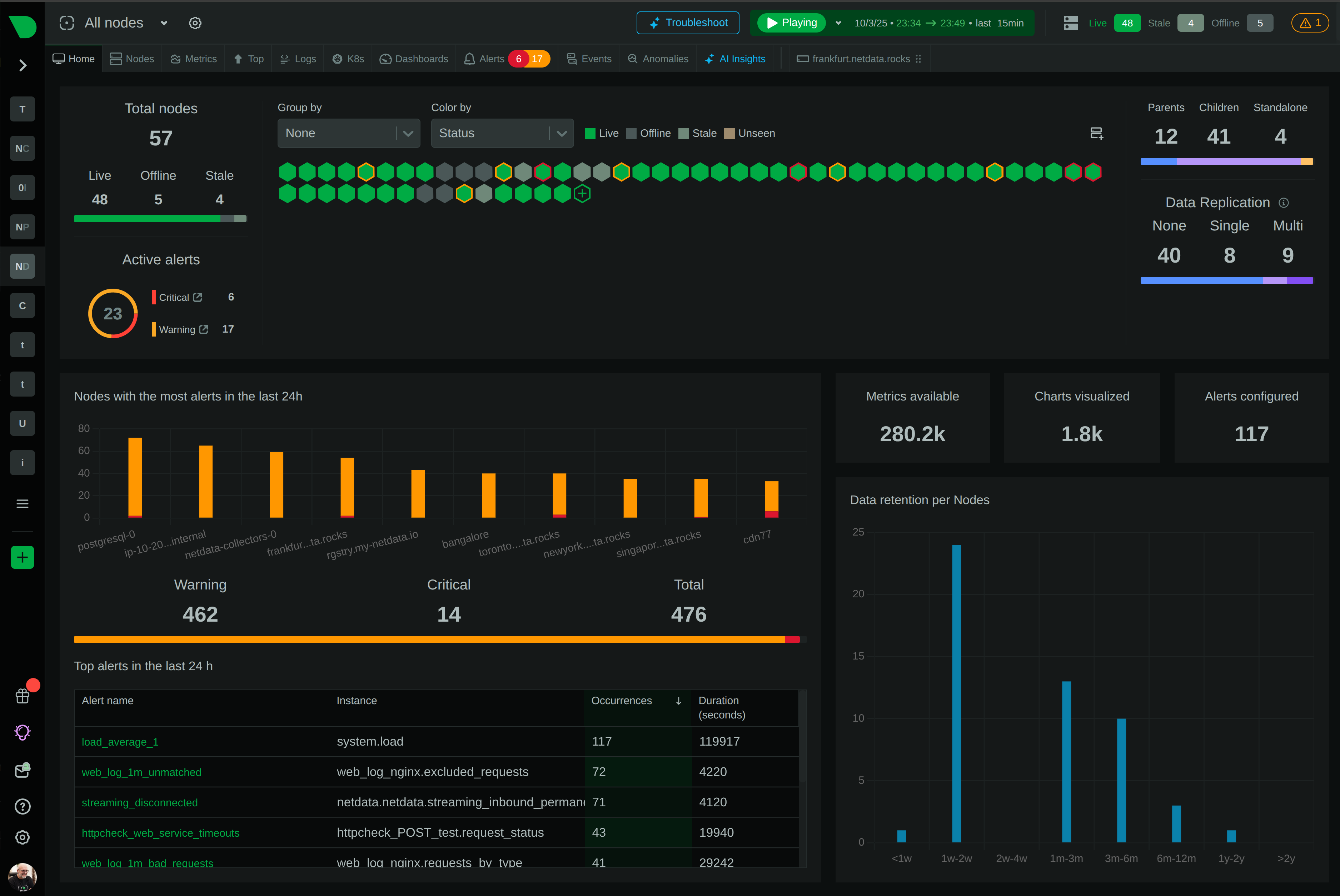


Interface counters tell you a port is busy. Bytes in, bytes out, errors, drops. That’s enough to know a link is saturated, but not enough to know which conversations are saturating it, which devices are involved, or how a problem propagates across your network. For that you’ve traditionally needed dedicated network performance monitoring tools, usually expensive, usually a separate console from the rest of your monitoring.
Today we’re closing that gap. Netdata has had solid network interface monitoring for a long time through its native collectors and SNMP support. We’ve now built out the rest of the picture, and it adds up to NPM-class network monitoring: live network topology, NetFlow and sFlow traffic analysis, SNMP device monitoring across 200+ vendor profiles, SNMP trap handling, and a dedicated network monitoring dashboard. All of it runs alongside the infrastructure, application, and container metrics Netdata already collects, on the same timeline, in the same platform.
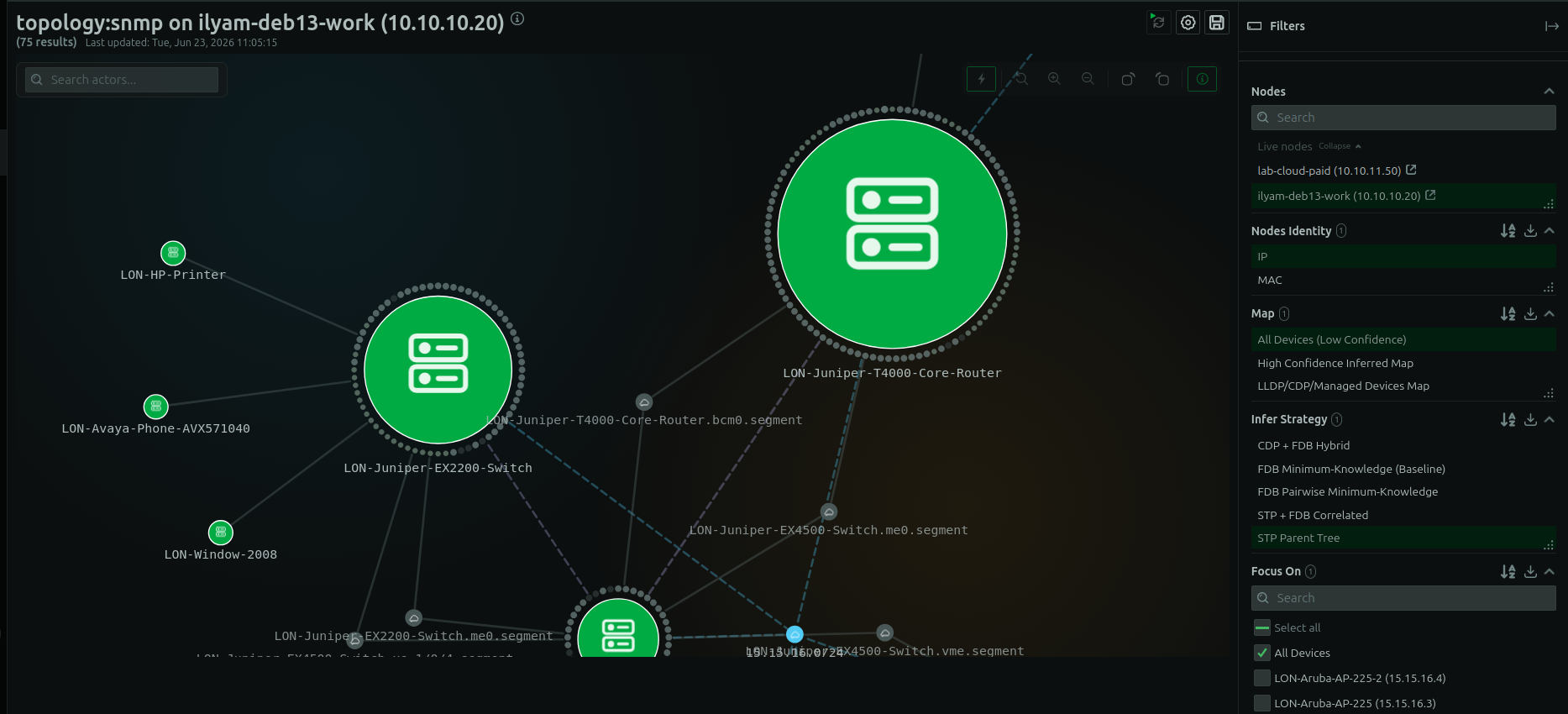
Network topology
The topology viewer builds live connection and device maps directly in the agent. There’s no scheduled discovery scan that runs overnight and shows you a stale picture in the morning. The topology reflects the actual state of your network as Netdata observes it.
This matters during troubleshooting because a saturation or error problem rarely stays on one port. Being able to see how your devices connect lets you trace a problem across the network path instead of staring at a single interface and guessing what’s upstream.
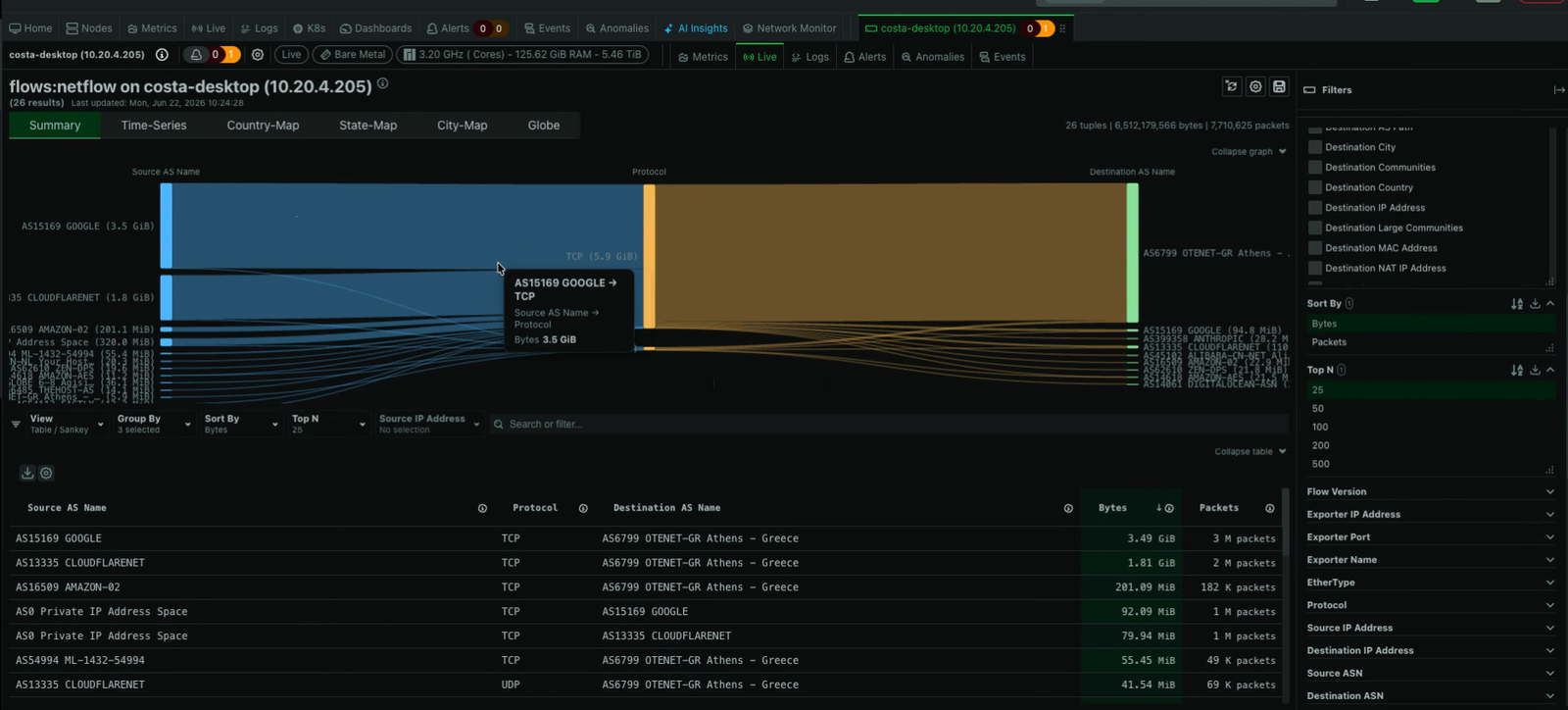
NetFlow traffic analysis
The NetFlow analyzer ingests NetFlow v5, v7, and v9, IPFIX, and sFlow v5 flow records on a single UDP listener. The protocols are auto-detected, so you don’t configure a separate collector per format or run multiple listeners.
Flow records are enriched at the edge with GeoIP, ASN, NetBox, and BGP context. There’s no packet capture, no separate appliance, and no metered billing based on flow volume. You query live flow records over selectable time windows with instant dashboard updates, rather than waiting on batch processing or a round trip to a central database.
The analysis surface is built for answering “what’s actually flowing through here.” Interactive Sankey diagrams and sortable tables rank your top flows by bytes or packets, up to 500 at a time. You can group by up to 10 dimensions, reorder the Sankey columns, and add dimensions like TCP flags to see exactly how a conversation is constructed.
GeoIP enrichment drives country, state, and city-level maps plus a global traffic map, and the city map zooms down to street level.
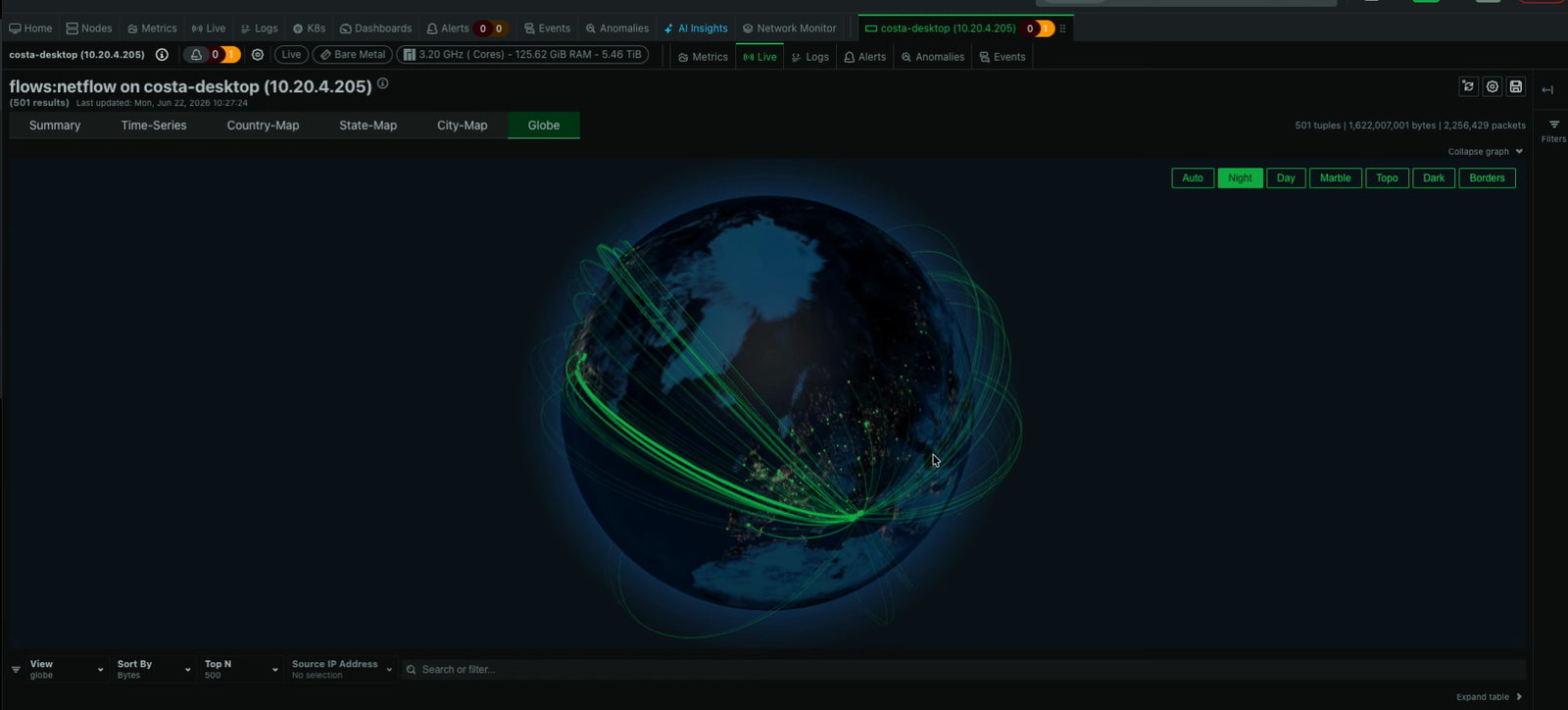
This is the layer that turns “the link is busy” into “these specific endpoints are driving the traffic, here’s where they are, here’s the protocol.”
SNMP device monitoring
Netdata’s SNMP device monitoring covers switches, routers, firewalls, and other SNMP-capable hardware. It ships with 200+ vendor profiles for Cisco, Juniper, Arista, Huawei, Nokia, Palo Alto, Fortinet, F5, Aruba, HPE, Dell, MikroTik, and more. Profiles automatically map the right OIDs for interface counters, CPU, memory, and device-specific telemetry, so you get useful data out of your devices rather than raw OID dumps. Combined with device auto-discovery, devices are found and matched to the right profile without manual per-device setup. SNMPv1, v2c, and v3 (with USM authentication) are all supported, and you can extend or override stock profiles to add new devices or collect additional OIDs.
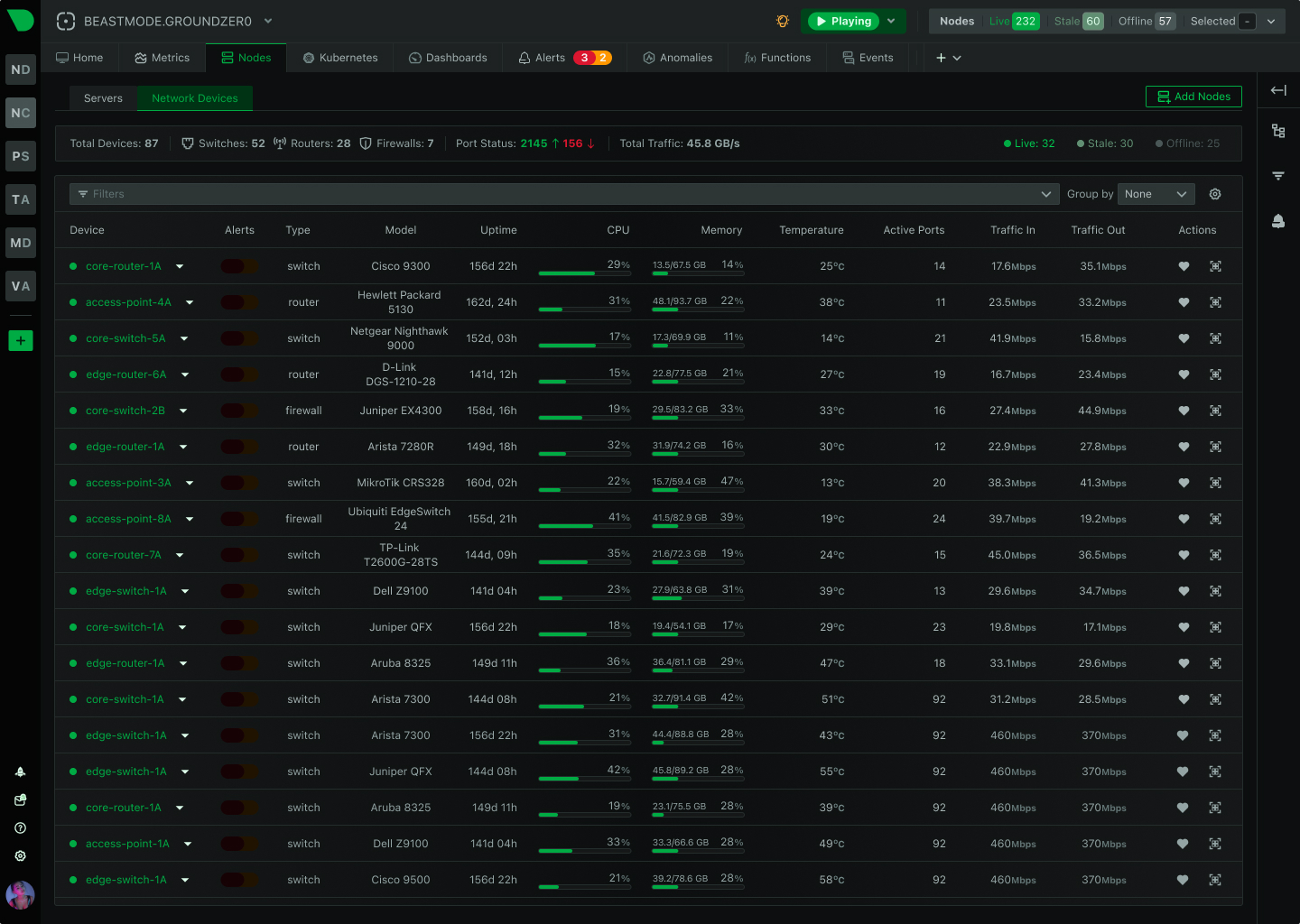
Everything collected through SNMP gets the same treatment as any other Netdata metric: per-second polling where the device can sustain it, 18 ML models per metric for anomaly detection, and the full alerting and correlation toolset.
SNMP traps
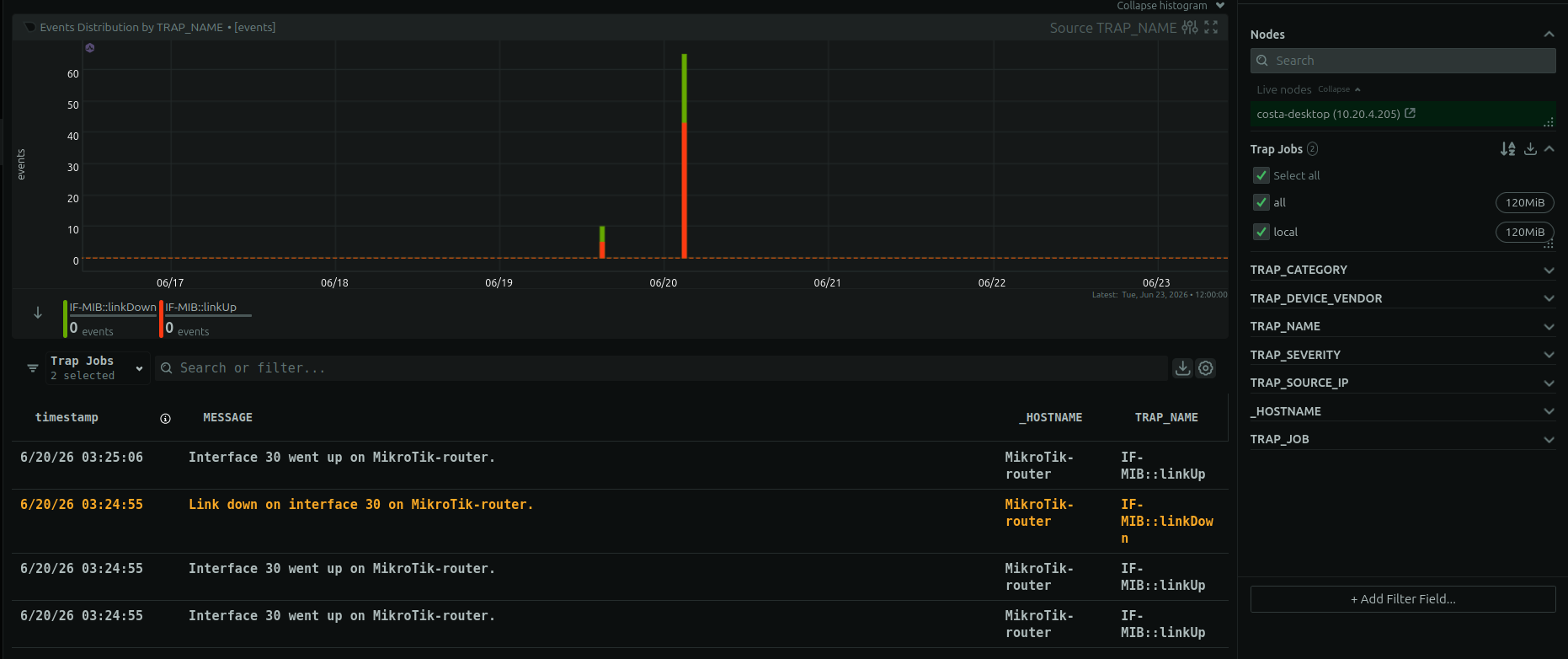
Beyond polling devices for metrics, Netdata now handles SNMP traps, the asynchronous notifications that network devices send when something happens. Netdata ships with roughly 150,000 trap definitions from 800+ vendors, so incoming traps are decoded into meaningful, human-readable events instead of opaque OID strings, with no manual MIB wrangling. Polling tells you the state at each interval. Traps tell you the moment a device decides something is worth reporting. Having both means you catch events that occur between polling cycles and you see them in the same place as the rest of your network data.
The network monitoring dashboard
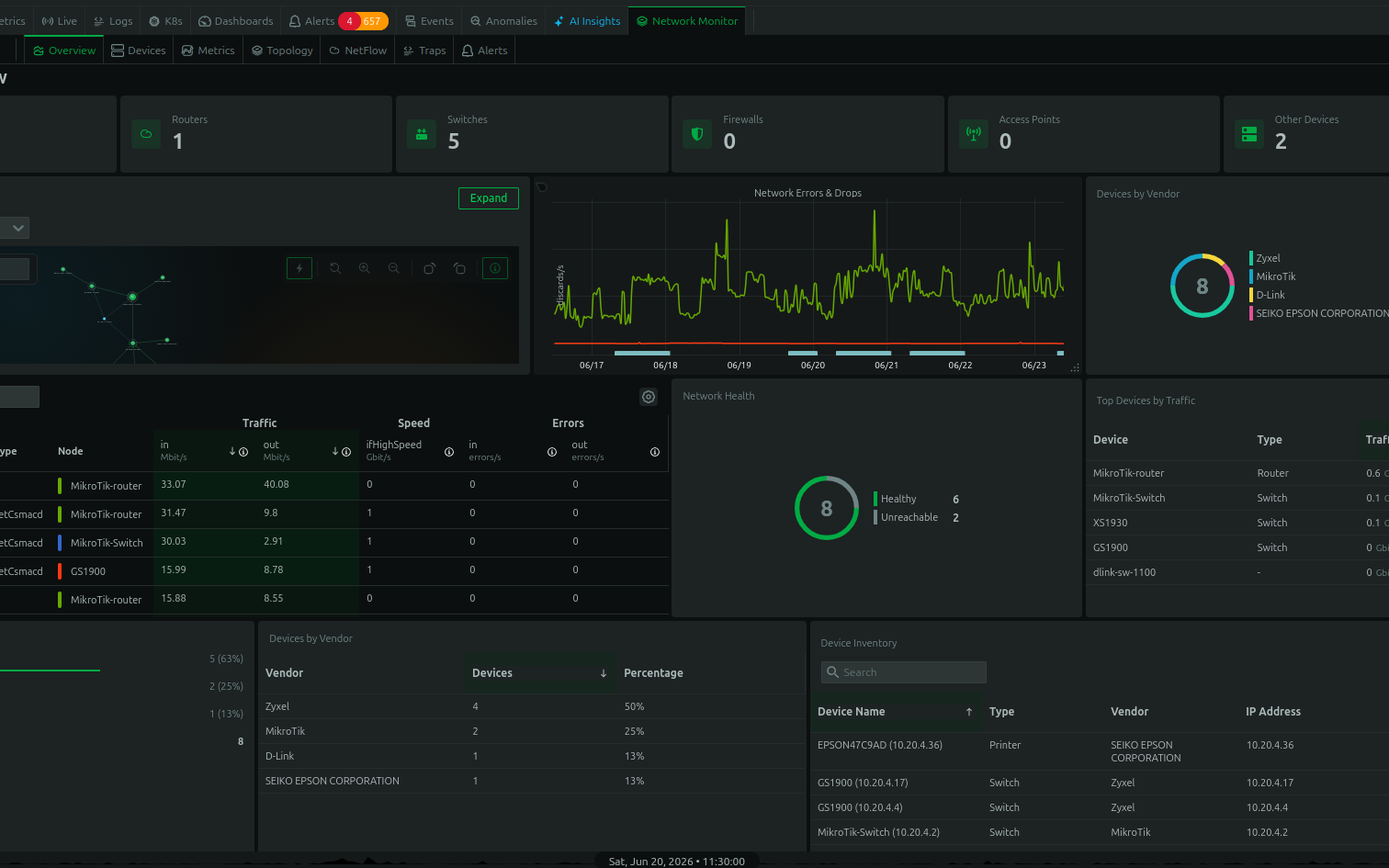
All of this comes together in a dedicated network monitoring dashboard. Rather than assembling network views from scratch, you get a purpose-built dashboard that brings topology, flows, device metrics, and traps into one place.
Why this is different
Most network monitoring tools are islands. They watch the network and nothing else, which means a network problem investigation lives in one tool while the application and infrastructure investigation lives in another. When a slow application turns out to be a network problem (or vice versa), you’re switching between consoles and manually correlating timelines.
Netdata’s network monitoring is part of the same platform as everything else it collects. The SNMP metrics from your switches sit alongside the OS metrics from your servers and the application metrics from your services. When you’re tracing a problem, you don’t stop at the network boundary. You follow it from the application, through the host, across the network path, to wherever it actually originates.
The other difference is the architecture. Flow records, SNMP data, and topology are processed and stored at the edge. There’s no packet capture infrastructure to deploy, no flow data shipped to a vendor’s cloud and billed by volume, and no central database that every query has to round-trip through. Your network data stays on your infrastructure, and only metadata reaches Netdata Cloud.
For network engineers evaluating alternatives
If you’re looking at network monitoring options, particularly if you’re reconsidering a legacy NPM tool, Netdata covers the core NPM capabilities (topology, flow analysis, SNMP, traps) with per-second granularity, 18 ML models per metric for automatic anomaly detection, 400+ pre-configured alerts, and no per-metric or per-flow pricing. And you get it unified with full infrastructure and application monitoring (800+ integrations in total) rather than as a standalone network silo.
There’s more detail on each capability on the network feature pages, and a solution overview for network engineers that ties it together.
This is available now in Netdata Cloud.