













You deleted 200 GB of files from a filesystem on a thin LV. df shows the space as free, but lvs still reports the thin pool data_percent exactly where it was. Nothing is broken in the reporting: this is how thin provisioning works. Deleting a file only updates filesystem metadata. The pool blocks that held the data stay allocated until a discard (TRIM) operation travels from the filesystem, through the thin LV, into the pool.
Without a working discard path, data_percent is a one-way ratchet. Operators usually discover this when the pool hits 85 or 95 percent and the first reaction, “just delete some files,” does nothing.
This guide covers how to confirm the discard path is missing or broken, how to reclaim space now with fstrim, and how to choose between periodic fstrim and the discard mount option for ongoing reclamation.
What this means
A thin pool hands out blocks to thin LVs on first write. The filesystem on the thin LV tracks which of its blocks are in use; the pool tracks which pool blocks back them. These are independent bookkeeping layers. When a file is deleted, the filesystem marks its blocks free but tells the pool nothing. The pool still considers those backing blocks allocated, so data_percent is unchanged.
A discard closes that gap. When the filesystem issues a discard for freed blocks, the device-mapper thin target unmaps the corresponding pool blocks and returns them to the pool’s free list, and data_percent drops. What happens next depends on the pool discard mode:
passdown(the default): the discard is also forwarded to the underlying device, which matters when that device is itself thin (an SSD, a SAN LUN, or another virtual layer).nopassdown: pool blocks are freed but nothing is sent downward.ignore: discards are dropped entirely and the pool never reclaims anything.
Two consequences matter operationally:
- A pool can fill up and freeze every thin LV in it even while all the filesystems report plenty of free space. Pool exhaustion and filesystem usage are separate failure domains.
- A sudden drop in
data_percentafter anfstrimrun is healthy behaviour, not a glitch. It is the reclaim working.
flowchart TD
  A[File deleted on thin LV filesystem] --> B{Discard issued?}
  B -->|fstrim or discard mount option| C{Pool discard mode}
  B -->|never| D[Pool blocks stay allocated]
  C -->|ignore| D
  C -->|nopassdown| E[Pool blocks freed, not passed down]
  C -->|passdown| F[Pool blocks freed and passed to underlying device]
  E --> G[data_percent drops]
  F --> G
  D --> H[data_percent only climbs]
Common causes
| Cause | What it looks like | First thing to check |
|---|---|---|
| No discard ever issued | data_percent climbs monotonically for weeks, never dips | Is fstrim.timer enabled? Is any filesystem mounted with discard? |
Pool discard mode is ignore | fstrim completes and reports trimmed bytes, but data_percent does not move | lvs -o+discards vg/pool |
| Thin snapshots pin the blocks | fstrim runs but data_percent barely drops | lvs for thin snapshots sharing the pool |
discard_passdown silently disabled | Pool reclaims, but the underlying device (SSD, SAN, VDO) never sees discards | dmsetup table for no_discard_passdown |
issue_discards = 1 misconception | Operator set it in lvm.conf expecting runtime reclamation | It only applies to LVM operations like lvremove and lvreduce, not file deletion |
| Underlying device does not support discard | Passdown disabled by the kernel at pool activation | lsblk -D on the data device; kernel log at activation time |
Quick checks
All read-only and safe to run during production hours. Note that lvs takes LVM metadata locks and does disk I/O; if the pool is already full and I/O is hung, prefer the dmsetup variants, which read from kernel memory.
# Pool usage and health
lvs -o lv_name,vg_name,lv_attr,data_percent,metadata_percent

# Current discard mode of the pool (ignore / nopassdown / passdown)
lvs -o+discards vg/pool

# Kernel view of the pool, no LVM locks: table line shows no_discard_passdown if disabled
dmsetup status --target thin-pool
dmsetup table vg-pool-tpool 2>/dev/null || dmsetup table | grep thin-pool

# Is periodic trim scheduled?
systemctl status fstrim.timer
systemctl list-timers fstrim.timer

# Is any filesystem mounted with the discard option?
findmnt -o TARGET,SOURCE,FSTYPE,OPTIONS | grep discard

# Does the underlying device support discard at all?
lsblk -D

# Kernel log evidence of passdown being disabled
dmesg | grep -i "discard"
Compare df on each thin LV filesystem against pool data_percent. A large and growing gap between “filesystem says free” and “pool says used” is the signature of a missing discard path.
How to diagnose it
- Confirm the symptom is unreclaimed space, not real growth. Check
dfon every filesystem in the pool. If filesystems are at 40 percent and the pool is at 90 percent, reclamation is the problem. If filesystems are also at 90 percent, the data is real and you need capacity, not TRIM. - Check the pool discard mode.
lvs -o+discards vg/pool. If it showsignore, discards are dropped at the pool and no amount offstrimwill reclaim anything until you change the mode. - Check for snapshots. Thin snapshots share pool blocks by design. Any block still referenced by a snapshot will not be freed by a discard, even after
fstrimsucceeds. List thin volumes and their origins withlvs -o lv_name,origin,lv_attr. - Check whether passdown reached the underlying device. Look for
no_discard_passdownin thedmsetup tableoutput for the pool. If the underlying device’s maximum discard granularity is smaller than the thin pool block size, the kernel disables passdown at activation and logs a message of the form “device-mapper: thin: Data device (dm-N) max discard sectors smaller than a block: Disabling discard passdown.” This affects only the downward leg; pool blocks are still reclaimed as long as the mode is notignore. - Check the schedule. If you rely on periodic trim, verify
fstrim.timeris enabled and has actually run recently (systemctl list-timers fstrim.timershows the last run). A timer that exists but is disabled reclaims nothing. - Rule out the
issue_discardsred herring.issue_discards = 1inlvm.confmakes LVM issue discards when space is freed by LVM operations such aslvremove,lvreduce, orpvmove. It does nothing for files deleted inside a mounted filesystem. Setting it and expectingdata_percentto drop after deletions is a common misdiagnosis.
Metrics and signals to monitor
| Signal | Why it matters | Warning sign |
|---|---|---|
data_percent per thin pool | The actual pool fill level; exhaustion freezes every thin LV | Above 85 percent; above 95 percent is urgent |
data_percent trend shape | A healthy pool with working discard oscillates as data is written and trimmed | Monotonic increase over weeks with filesystem usage flat |
data_percent after fstrim | Confirms the reclaim path works end to end | fstrim reports trimmed bytes but the metric does not move |
metadata_percent | Independent exhaustion domain; not reclaimable by discard | Above 75 percent |
| VG free space | Headroom to extend the pool if reclaim is not enough | Below 10 percent with a pool above 85 percent |
Pool discard mode (lvs -o+discards) | Configuration drift can set it to ignore | Anything other than the intended mode |
Thin pool usage is updated periodically by the kernel and can lag reality by tens of seconds, so do not alert on sub-minute changes. Trend over hours instead.
Fixes
Reclaim space right now: run fstrim manually
# Trim one mounted filesystem on a thin LV
fstrim -v /mountpoint
-v prints the number of bytes trimmed, which tells you the filesystem issued the discards. Watch data_percent afterwards; a visible drop confirms the path works. If trimmed bytes are reported but data_percent does not move, the pool discard mode is ignore or snapshots are pinning the blocks.
On a nearly full pool, fstrim is often the fastest way to get headroom back without adding storage. It is safe to run online, though it does generate I/O against the underlying device in passdown mode, so on busy systems run it during a quieter window.
Fix the pool discard mode
# Allow the pool to process discards and pass them to the underlying device
lvchange --discards passdown vg/pool
Modes:
passdown(default): process in the pool and forward to the underlying device. Correct for most setups, and required if the underlying device is itself thin.nopassdown: reclaim pool blocks but do not forward. Use when the underlying device handles discard badly or slowly, and you only care about pool-level reclamation.ignore: drop all discards. Almost never what you want on a pool that holds real filesystems.
The default for newly created pools is controlled by allocation/thin_pool_discards in lvm.conf when not specified on the command line.
Set up ongoing reclamation: periodic fstrim (preferred)
Enable the systemd timer so reclamation happens on a schedule instead of relying on operator memory:
systemctl enable --now fstrim.timer
systemctl list-timers fstrim.timer
Timer defaults vary by distribution, including whether fstrim.timer is enabled out of the box and the default RandomizedDelaySec. Check the timer unit on your system rather than assuming.
Alternative: the discard mount option
Mounting the filesystem with discard issues a discard synchronously on every file deletion. This keeps the pool tight without a scheduled job, but each delete now stalls while TRIM is processed, which shows up as latency spikes under delete-heavy workloads. Both Red Hat documentation and the XFS man page recommend periodic fstrim over the discard mount option for production XFS workloads.
Choose discard only when the workload deletes files infrequently, or when the underlying device handles queued TRIM cheaply and you have measured the impact. Otherwise, use the timer.
When reclaim is not enough
If fstrim recovers little because the data is genuinely live, the pool needs capacity, not TRIM:
- Extend the pool:
lvextend -L +<size>G vg/pool(requires VG free space). - If the VG is also full, add a PV first. See the related guide on extending LVs with a full VG.
- Delete thin snapshots that no longer serve a purpose. Their blocks pin pool space that no discard can free.
If the pool is already at or near 100 percent, follow the pool-exhaustion runbook rather than this one; the freeze mechanics and first response are different.
Prevention
- Scheduled trim on every thin LV filesystem. Enable
fstrim.timerand verify it runs. Without any discard path, every pool eventually fills regardless of how much filesystem space is free. - Alert on the trend, not just the level. A monotonic
data_percentclimb while filesystem usage is flat is the earliest signal that reclamation is broken. Catching it at 60 percent beats catching it at 95. - Intended discard mode documented per pool. Record whether each pool should be
passdownornopassdownand audit withlvs -o+discards. Treatignoreon a production pool as a misconfiguration. - Snapshot lifecycle policy. Thin snapshots pin pool blocks indefinitely. Alert on old snapshots so they are deleted before they silently defeat reclamation.
- Capacity headroom independent of reclaim. Keep
data_percentbelow 75 percent steady-state and VG free space sufficient for at least one pool extension, so a reclaim failure is a ticket, not an incident. - Verify after VG metadata restores. After any
vgcfgrestore, confirm discards still reclaim space with a manualfstrim. Operators have reported thin pool discard state breaking after metadata restores.
How Netdata helps
- Tracks
data_percentandmetadata_percentper pool over time, so the monotonic-climb signature of a missing discard path is visible in the trend long before the pool is full. - Makes
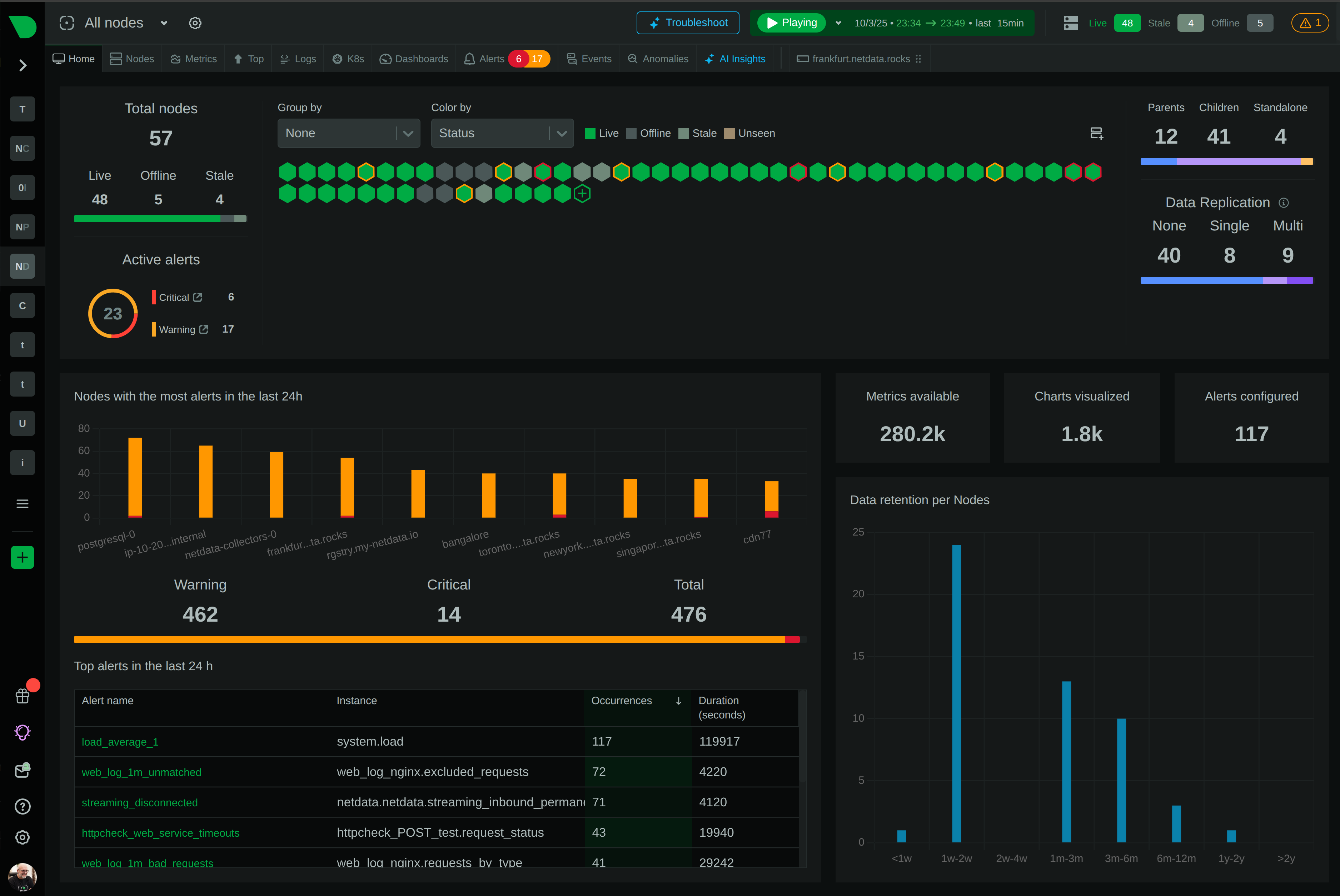
fstrimverification trivial: correlate the timestamp of a timer run or manual trim with thedata_percentdrop. No drop means the path is broken. - Alerts on pool fill thresholds (85 percent ticket, 95 percent urgent) while showing filesystem usage alongside, so you can tell “needs TRIM” apart from “needs capacity” from the same screen.
- Correlates pool growth rate with write throughput on the dm devices, helping you estimate runway when reclaim is not keeping up.
- Surfaces VG free space in the same view, so you know whether pool extension is possible before you are forced to choose between trimming, extending, and deleting snapshots.
Related guides
- LVM thin pool out of data space: every thin volume freezes at once
- LVM reached low water mark for data device: the thin pool warning before the freeze
- LVM thin pool auto-extend not working: threshold 100 means disabled
- LVM thin pool metadata full: the exhaustion that can corrupt the pool
- LVM Insufficient free extents: the volume group is out of space
- LVM cannot extend a logical volume: adding a PV when the VG is full
- LVM filesystem full while the volume group has space: the resize step everyone forgets
- LVM volume group running low on free space: vg_free and runway estimation
- LVM has free space but striped or mirrored allocation still fails
- How LVM actually works in production: a mental model for operators
- LVM monitoring checklist: the signals every production volume manager needs
- LVM monitoring maturity model: from survival to expert